One case, many requirements
A single entry counts toward every procedure and category it covers.
In the pilot
For residents first, and the programs that train them
Tick what you did on your phone: the anaesthetic, the airway, the lines, the blocks. One entry counts toward every requirement it meets, in your Arab Board and ACGME-I logbooks at once, and both files are ready to download.
Now in a pilot with anaesthesia residents, on Android and the web. Free for residents during the pilot.
When logging is slow, residents log later, or not at all. Published studies show how large the gap is.
1 in 3
emergency anaesthesia cases found in hospital records had been logged by the residents themselves, in one US study
85%
of UK surgical trainees surveyed had few or none of their logbook entries validated by a trainer
26%
of residents surveyed believed their case logs were very accurate
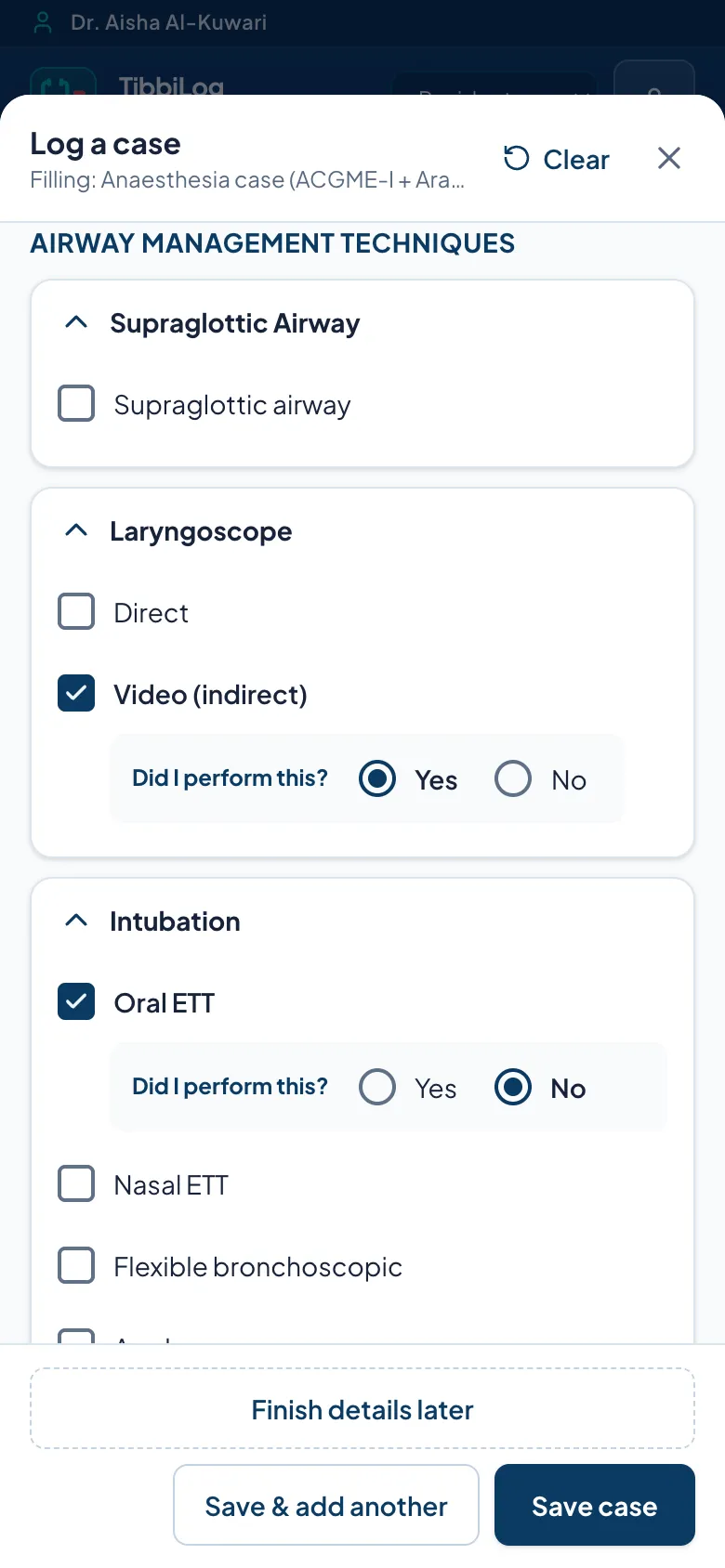
Tick what the case involved and say whether you did it or watched. Every requirement it meets moves at once. This demo uses made-up data and saves nothing.
Log a case
Demo · made-up dataYour progress
0 cases logged in this demoTargets are examples, not official requirements. Watched procedures are kept but do not count as done.
Step 1
General anaesthesia for an emergency laparotomy, with a video laryngoscope and an ultrasound-guided arterial line.
Step 2
“Did I perform this?” Yes or No for each tick, so watched procedures are counted as watched.
Step 3
Four requirements from one entry, in your progress, your Arab Board logbook and your ACGME-I case list.
Requirements updated
Accreditors already let one case count in several places. Your logbook should too.
Log in seconds on your phone, see where you stand against your minimums, and download your Arab Board and ACGME-I logbooks whenever you need them.
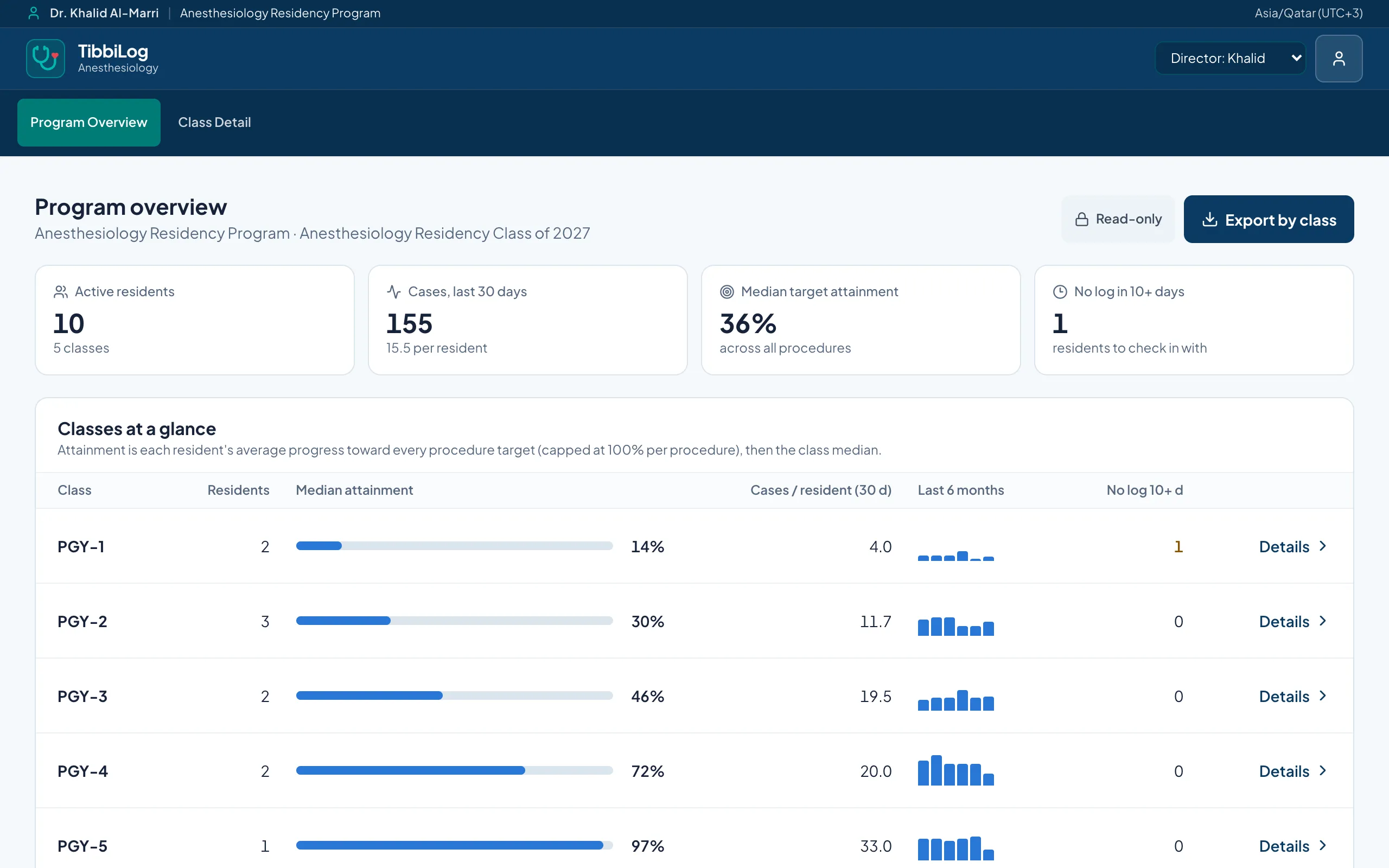
For residentsYour residents may already use it. Set up rotations, targets and your own case questions, and see each class’s progress with the numbers behind every flag.
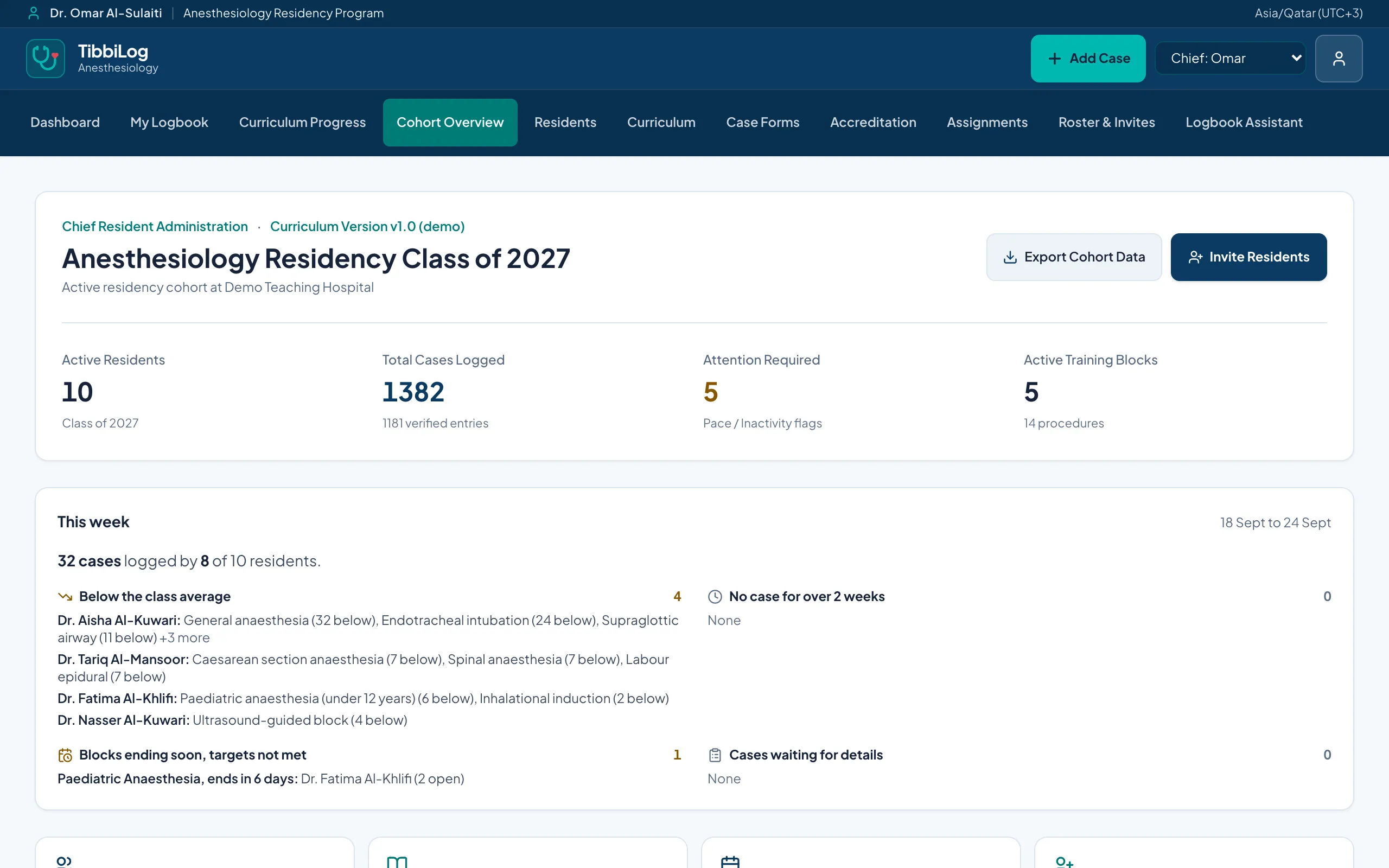
For programsAccess by role enforced inside the database, a full audit trail, hosting agreed for your country, and onboarding that fits your IT.
For hospitals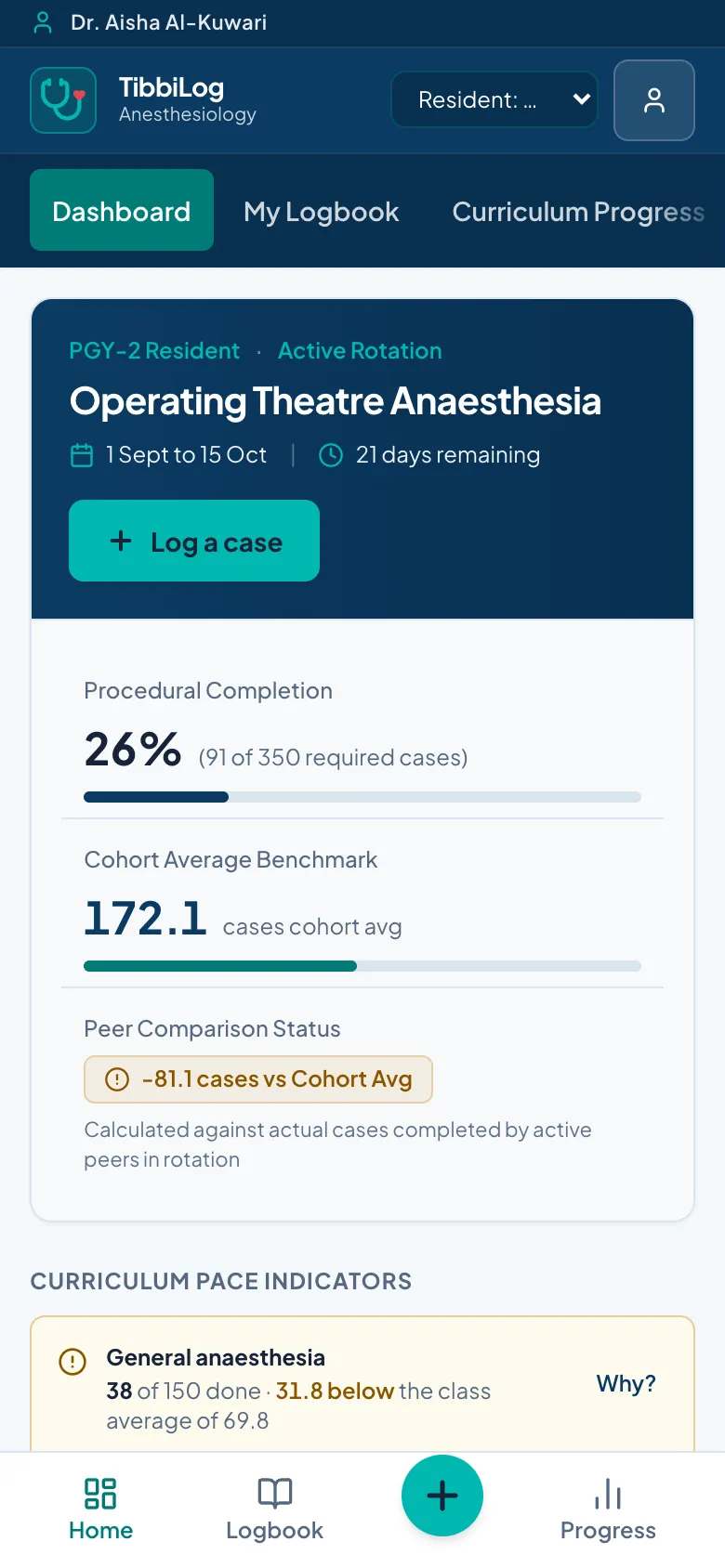
A single entry counts toward every procedure and category it covers.
Your Arab Board logbook and your ACGME-I case list in their own layouts, with a helper for entering cases into ACGME-I.
Each tick is marked done or watched, so observed procedures count the way your logbook expects.
Android app and website. Log in theatre without signal; cases send themselves when you are back online.
Import your hospital’s rota once and every case gets its rotation block from its date.
Every target with a clear bar, coloured against your class average, plus everything you have ticked.
Chief residents build case forms and roles without any code; new versions never break old answers.
Supervisors confirm cases from a link, in seconds, so program numbers can be trusted.
Residents: ask for early access, free during the pilot. Programs: if your residents already use it, tell us and we will set up your program.